


Jump to content

2025 MLB - All Teams, All Players, All Logos, 90 Free Agents 1.0.0

   (3 reviews)

5 Screenshots

About This File

This is for the SMB4 Community! 
 

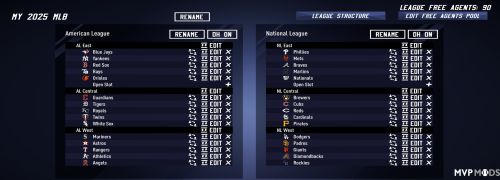
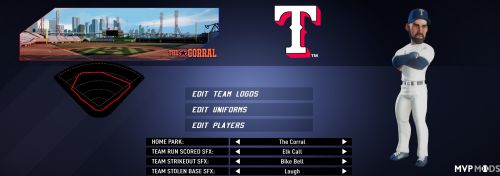
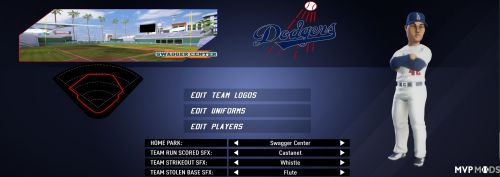
This is a collection of great MLB logos and Rosters from 2025 of all 30 MLB teams, made by various creators. 

I have compiled a lot in order to achieve the best possible result. I have also created one or two logos based on original templates from the internet or/and made some finishing touches to other logos. Overlay technique, so to speak.

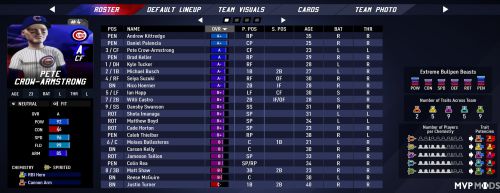
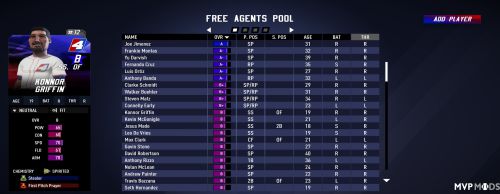
I also finished the previously missing 14 rosters with 2025 MLB players according to the specifications of Elder_III. It took me about 200 hours in total as I also created 90 Free Agents, including some of the best 2026 prospects.

It was a huge effort from all who have worked on it so far. Therefore, I would like to expressly thank everyone.

I decided to upload it because the community has been longing for it and I hope no one minds. It is not my intention to upset anyone but to make the community happy. Thank you for your understanding.

I wish everyone a lot of fun with this league.


A BIG THANK YOU goes to

Rocket-man15 aka cbreezy15,
Elder_III
Patch-Arthur41
ViiperBoxer

I hope I haven't forgotten to mention anyone.


User Feedback

Join the conversation

You can post now and register later. If you have an account, sign in now to post with your account.
Note: Your post will require moderator approval before it will be visible.

Guest

MetalFrog

   3 of 3 members found this review helpful 3 / 3 members

Great job on this. Really appreciate the effort at getting all the rosters, abilities, alt uniforms, and free agents configured!

pmb83

   2 of 2 members found this review helpful 2 / 2 members

Gracias de antemano, como hago ponerlo en mi juego 

Response from the author:

Download the - League Import Tool -  for SMB4 ( You will find it also on MVPMODS ). Download a SMB4 League file from MVPMODS and save it on your PC here:

C: Users\Your personal folder\AppData\Local\Metalhead\SuperMegaBaseball4\a folder with lots of numbers

After this, you need to install the - League Import Tool - and load all leagues from the folder where you just saved the SMB4 League file. Start the game and the league will show up in customization.

Lonnie Winter

   1 of 1 member found this review helpful 1 / 1 member

@MetalFrog  Thank you very much, I share the praise with everyone who contributed to this mammoth project.

×
×
  • Create New...