


About This File
About This File
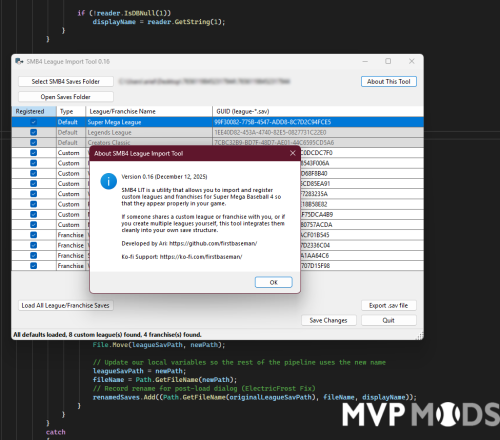
The SMB4 League Import Tool (LIT) is a utility designed to help players manage custom leagues and franchise saves for Super Mega Baseball 4.
LIT reads your SMB4 save directory, detects all master.sav and league-*.sav files, and shows which leagues are registered for use in the game. With a simple checkbox, you can register or unregister leagues, allowing SMB4 to load exactly the ones you want.
The tool also supports exporting individual league-*.sav files for sharing with other players, as well as warning you if a registered entry is missing its corresponding save file.
All changes to master.sav are handled safely and cleanly:
- Correct league GUID formatting
- Default leagues ordered and protected
- No duplicate or invalid entries
- Clear before/after registration counts
NOTE: LIT does not modify the content of league files themselves, it only updates SMB4’s league registration table. All temporary files created during decompression are removed automatically when the tool closes. Use this tool to keep your SMB4 save environment organized, clean, and ready for custom league play.
What's New in Version 0.17
Released
Cloud Save Detection
- Displays warning when Steam Cloud is enabled for SMB4, preventing potential sync conflicts when modifying saves